4 minute read · Practical field guide
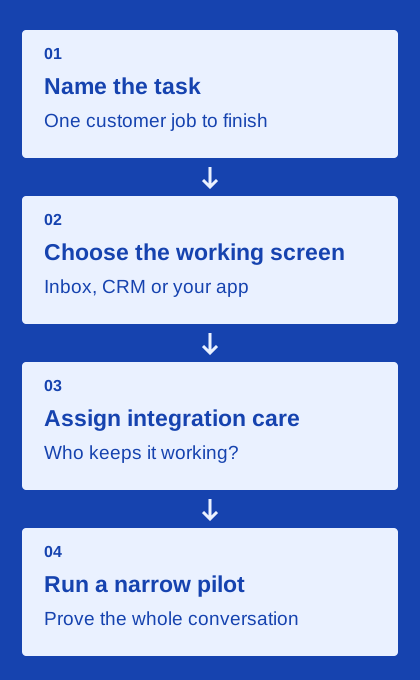
Bring one realistic customer task
Prepare a fictional order update, appointment question or requested quote follow-up that resembles your daily work. Write the intended recipient, the question to answer and the business record that should change. Include a normal reply and one exception. This gives the demonstration a purpose beyond browsing a feature menu.
Tell the vendor which staff roles, CRM and messaging routes matter to your setup. Ask which plan and configuration will be shown. A sandbox, prerecorded example and live configured workflow can each be useful, but they establish different things. Keep the evidence type beside your notes so the team can see what still needs to be tested before purchase.
Prove the channel and the return conversation
Ask how the message is sent in the proposed arrangement, what account or number setup is required and what happens when the preferred route is unavailable. Use the kind of text, link or attachment the business expects to send. Check the recipient’s actual experience with an authorized participant when the demo supports it.
Then reply. Find the incoming message in the staff workspace or application and identify who owns the next step. Confirm the related customer record and any context needed to distinguish the task. The demonstration should show the return path clearly enough that a colleague can explain it afterward. An outgoing message alone leaves this important part of the workflow unproven.
A useful fictional demo note would record the task, the plan shown, the two staff roles, the test recipient’s route and the result of a changed request. Add a link to the supporting documentation and name the person who will resolve the remaining question. This gives another buyer enough context to review the evidence without attending the original call.
Ask a second colleague to continue the work
Use a second staff account or the vendor’s equivalent demonstration role to pick up the conversation. Look for the history, latest commitment, unresolved question and assignment controls. Ask what happens when two people try to answer at the same time. The product’s behavior and the team convention should fit together.
Check the permissions relevant to your organization. A supervisor, frontline rep and integration administrator may need different access. Keep the demo focused on your actual roles rather than a hypothetical maximum-security configuration. The useful question is whether the intended staff can do their work and whether the business can update access as responsibilities change.
Change the request and inspect the consequences
Have the test customer ask to move the appointment or alter the delivery plan. Follow the change into the operational record and any scheduled follow-up. Ask the vendor to show that the obsolete action is stopped or reviewed. A text acknowledging the change is only part of the evidence.
Next, examine an unsuccessful case or a supported simulation. Find where the error appears, how the team investigates it and who owns recovery. Ask which identifiers or records support a support request. This helps you judge whether an ordinary problem can be understood by your team, rather than depending on a vendor employee remembering the original demonstration.
Tie the demonstrated workflow to a written scope
List every product, plan and integration used during the demo. Confirm which staff access, lines, usage, media, setup and support are included in the offer. Ask about requirements that were deferred to another product or custom development. A demonstration can be technically successful while the commercial proposal remains incomplete.
Include exit questions while the discussion is concrete. Find out which contacts, message records, attachments and identifiers can be exported and how the number or account arrangement affects a move. Request the applicable documentation. The aim is an understandable operating commitment, including the work your own team would still need to perform.
Use the checklist to preserve evidence, not award a score
The interactive worksheet below contains seven evidence categories. Check an item after you can point to the relevant demonstration result, documentation or written answer. The count describes your checklist progress; it is not a rating of a provider or a recommendation to buy. Your entries stay in the current page and reset when it reloads.
After the demo, give every unresolved item an owner and a next action. A follow-up might be a second-user test, a written clarification or a small configured pilot. Keep the final choice tied to the customer task and the exact plan you evaluated. A good demo leaves fewer important unknowns and a clear account of the work needed to launch.